 RSS Feed
 Twitter
Tuesday, 5 February 2013
 07:29
07:29
 Rithik girees
Monday, 4 February 2013
01:59
Rithik girees

- Practical: It comes along with minimalist layout and innovative features. For example, no need to open Internet Explorer first to access your favourite websites; you only have to pin a website. For that, click the tab for the website, drag and drop it into Windows taskbar, and its thumbnail appears. Each pinned website has its own InPrivate browsing, opening the website, unpinning the website and closing the window. Some elements are also available like icon overlays, website status.
- Versatile download manager: This tool allows you to download, to monitor the files you are downloading. With this tool, you can see the progress of your download, get information about the files you are downloading (clean or harmful), show you the destination folder of your downloads. This download manager also lets you sort, print, transfer your downloads to another location like you do with your files. It is even possible to use it to remove downloads.
- Safe: The best part about this software is that it perfectly works with SmartScreen Filter. Thus, you avoid from worrying about malicious downloads because it blocks immediately higher risk programs such as dangerous advertisements, social threats and suspicious e-banking operations.
System requirements
Hardware:
- Memory: 512 MB
- Disk space: 70 MB
- CPU: 233 MHz (Pentium processor recommended)
- Graphics card: Super VGA (800 x 600) or higher resolution monitor with 256 colors.
Software:
- Windows 7
- Windows 7 with Service Pack 1
Pros:
- Clean and cool look.
- Larger browsing space.
- Few buttons.
- Fast.
Cons:
- Only compatible with Windows 7.
Download link
Download Internet Explorer 9 here
00:11
Rithik girees

Minimum System Requirements
• Operating System: Windows® XP / Windows Vista® / Windows® 7
• Processor: Intel® Core™ 2 Duo E6600 or AMD Phenom™ X38750 processor or better
• Memory: 16 GB free hard drive space / 2GB RAM
• Video Card: Shader 3.0 or better 256 MB NVIDIA®GeForce™ 8600GT / ATI® Radeon™ X1950 or better
• Sound Card: DirectX® 9.0C or later
• Processor: Intel® Core™ 2 Duo E6600 or AMD Phenom™ X38750 processor or better
• Memory: 16 GB free hard drive space / 2GB RAM
• Video Card: Shader 3.0 or better 256 MB NVIDIA®GeForce™ 8600GT / ATI® Radeon™ X1950 or better
• Sound Card: DirectX® 9.0C or later
Download link
Download Call of Duty;Modern Warefare 3 here
Sunday, 3 February 2013
23:53
Rithik girees

IZArc modestly bills itself as the ultimate archiving utility--we're not so sure about that "ultimate" bit. Nevertheless, IZArc is definitely one of the best archiving utilities out there. Compatible with a huge number of archive formats, all the major are represented, as well as 7z (from 7-Zip), ISO, BH (Black Hole), and TAR, among others. It can create archives for many of the formats it can read, too, including 7z and TAR. It doesn't, however, create GZ archives.
IZArc supports archive encryption as well. AES 128-, 192-, and 256-bit encoding and PKZip 2.0 both are available. The app offers a reasonable range of context-menu options in Explorer, although not as many as some of its competitors. The user interface is more similar to WinZip's than some other alternative archivers, with big, obnoxiously colored icons making it clear to everybody and their dog just which buttons do what--not that that's a bad thing. Overall, IZArc is an excellent example of a third-party publisher supporting multiple formats and options under one roof--but it's not the only option out there.
With a modern easy-to-use interface, IZArc provides support for most compressed and encoded files, as well as access to many powerful features and tools. It allows you to drag and drop files from and to Windows Explorer, create and extract archives directly in Windows Explorer, create multiple archives spanning disks, creating self-extracting archives, repair damaged zip archives, converting from one archive type to another, and view/write comments. IZArc has also build-in multilanguage support.
23:50
Rithik girees

What's
new in this version: Version 4.20 significantly improves compression
and decompression speed; RAR general compression algorithm is optimized
for better utilization of several processor cores. While some speed gain
is possible even in single processor mode, best results are achieved in
multi-core environment.
23:40
Rithik girees

PeaZip is a free tool for creating and opening ZIP files quickly and easily. PeaZip can read RAR files, but it cannot write them, the one missing archive format we wish PeaZip could support.
We found PeaZip's interface to be well-designed and user-friendly, but users need to take care when installing this utility as it will install the AVG Security Toolbar and change your homepage and search functions to AVG Secure Search with the default settings. Fortunately you can choose a custom installation that avoids the add-ons. Once installed, the right mouse button brings up the traditional Explorer menu with basic PeaZip capabilities added to it. The default settings for most PeaZip operations will be adequate for most users. In addition to invoking the menu, you can also drag files over the PeaZip desktop icon to archive them, or drag an archive over the icon to uncompress it. Options can be selected to do pretty much any task you'd want to perform with an archiving utility, including adding encryption and optimizing compression formulae.
In operation PeaZip was not noticeably faster or slower than the latest WinZIP version, but PeaZip is free and easier to use for non-hardcore users that don't work with RAR files. Like many Windows users, we have several compression tools installed, and we found we kept returning to PeaZip for its simplicity and common sense defaults. A useful addition to any Windows system.
23:19
Rithik girees

“WinZip” is the world’s most popular file compression software with over 20 years experience as the leader in the file compression industry. No other file compression utility is as easy to use or offers such a comprehensive and innovative feature set to help you save time, conserve space, and improve productivity.
“WinZip” 15.0 introduces new functionality that makes it even easier to compress files and decompress files, encrypt confidential information, share files swiftly and safely, and backup important data automatically. With a powerful new architecture for increased zipping performance, a simplified interface, a groundbreaking desktop gadget, and enhanced file sharing capabilities, this release represents the very best in “WinZip” technology.
Features
Compress Files
With “WinZip”, you can instantly compress files to conserve storage space, send swifter emails, and decrease file upload/download times. Zip documents, spreadsheets, PDFs, presentations, you name it!
“WinZip” introduces a versatile new architecture to support significant performance enhancements, giving additional power and agility to your file compression tasks!
“WinZip” File Compression Software
With easy tools and drag-and-drop functionality, “WinZip” helps you create compressed files in the following formats: Zip, LHA, and Zipx (our smallest Zip file to date). Not sure which format to use? Let “WinZip” select the best compression method to maximize efficiency! You can even create self-extracting Zip files, which are ideal for distribution to recipients who may not own “WinZip”.
“WinZip” also provides advanced photo and image compression. With a single click, you can compress your digital photographs and graphic images by 20-25% with no loss of quality or data integrity. This lets you send files faster and fit more on your flash drive, CD/DVD, or hard disk.
Download link
Download WinZip 16.5.10096 here
23:08
Rithik girees

Need a lightweight, powerful and rock-solid burning application that would work with your drive? Small, easy to start, intuitive to use and powerful, featuring all you need - it is DeepBurner.
DeepBurner will be able to solve most of your burning needs: be it burning of Data/Audio/Video CDs, all types of DVDs, composing photo albums and even burning backups. Every operation starts with a simple wizard, thus virtually everyone can use DeepBurner.
There are two versions of DeepBurner - DeepBurner Free and DeepBurner Pro. The first one is intended for home users, while the Pro edition is for advanced and business users.
DeepBurner works on Windows XP/Vista/7 and is compatible with all CD/DVD drives.
Download link
Download DeepBurner pro 1.9.0.228 here
22:59
Rithik girees

All you need
- Easiest CD, DVD, Blu-ray disc burning
- Erase discs in few simple steps
- Burn disc from image file
- Ready to use - install and burn straight away
Customizable simple user interface
- Everything in one clear window
- Select language for program interface
- Personalize your Astroburn Lite with preset skins
Additional burning features
- Verify burning process
- Select burning speed
- Auto-select of file system type before disc burning
- Burn discs from *.mdx, *.mds/*.mdf, *.iso, *.b5t, *.b6t, *.bwt, *.ccd, *.bin/*.cue, *.cdi, *.iso, *.ape, *.flac image files
Download link
Download Astro Burn here
22:33
Rithik girees
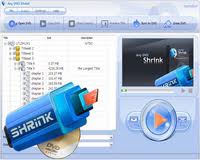
Any DVD Shrink decodes DVD copy encryption like CSS, ArccOS and Region Code, offers features like 1:1 copy, automatic compression and episode selection, supports common used mediums including DVD-5, DVD-9, ISO image and DVD folder. With PAL and NTSC compatible DVD burning functions, Any DVD Shrink can burn ISO image and DVD folder to different disc types including single and dual layer discs which are playable on PC DVD players and standard DVD players with TV.
Any DVD Shrink gives users complete control to make DVD copies. You can choose to keep any titles, chapters, subtitles and languages of the original DVD. As long as you have Any DVD Shrink, you have a DVD decrypter a DVD copier, a DVD cloner, a DVD burning tool and a DVD shrinker. It’s an excellent choice for both beginners and advanced users.
Copy DVD to DVD or Copy DVD to hard disk
Any DVD Shrink makes DVD copy in 1:1 ratio without quality loss. If you have got two or more DVD drives and at least one of them is a DVD burner, you can easily use Any DVD Shrink to copy DVD-9 to DVD-9 or copy DVD-5 to DVD-5. If you have only one DVD drive, you can create ISO image file on hard disk for further burning from DVD-9 and DVD-5, or copy the entire DVD to hard disk as a DVD folder
Download link
Download Any DVD Shrink here
Subscribe to:
Posts (Atom)


